Skip to content
English
  • There are no suggestions because the search field is empty.

Absence request

How do I register my absence in the app?

Use Absence requests to hand in requests for holidays, or other types of absences depending on the options your company has made available.

Your absence request will be put on a list with all the other requests until they are approved or denied by the management.

Read this article to see how you request absence from the app:


This is how you submit your absence request

number_1.png

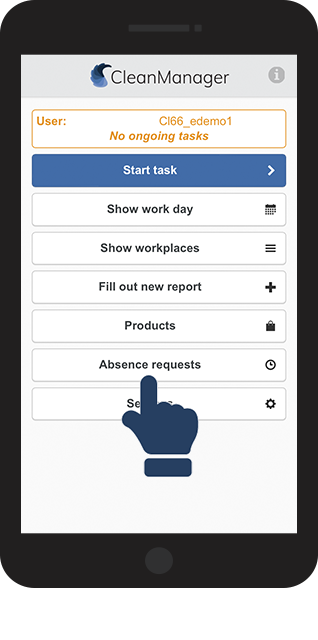
In the main menu, click on Absence requests

1.png 

number_2.png

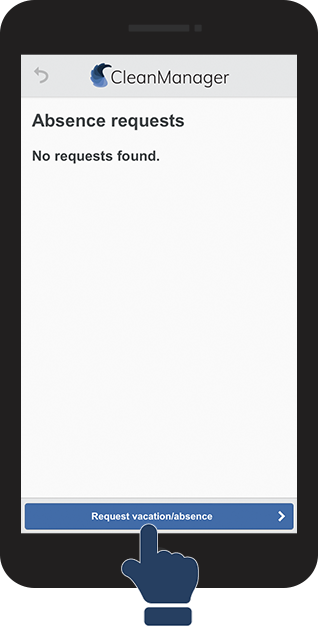
Click on the button Request vacation/absence


This is the same page where you later can see your absence requests after you have handed them in.

2.png


number_3.png

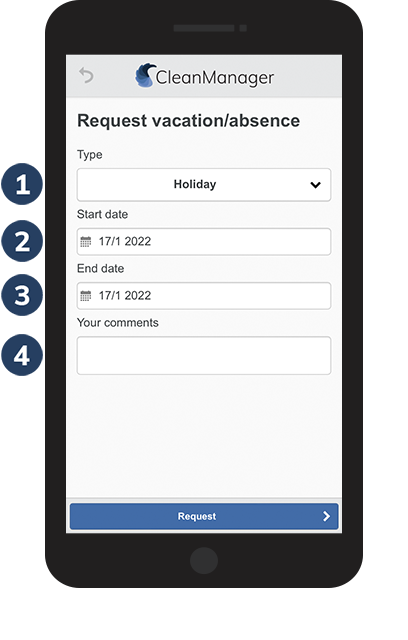
Fill out the absence request

 
  1. Type: Choose any of the available options

  2. Start date: First day you are absent from work

  3. End date: Last day you are absent

  4. Your comments: Describe the case of your absence, vacation, or other necessary information

3.png


INFO:

Absence requests can be handed-in to the administration at any point in the day.

If some of the absent days are e.g. half days, then that should be stated in the comment section so the administration can adjust the number of vacation days that will be used.

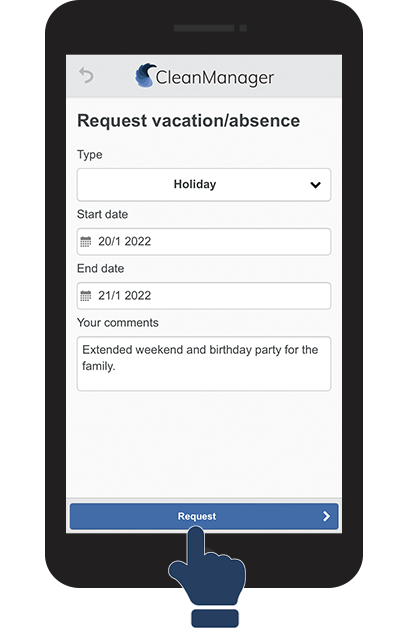
number_4.png

Click on Request to submit your absence request

4.png

number_5.png

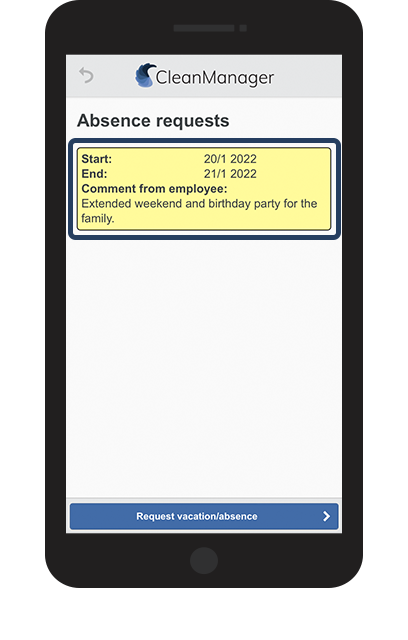
Your request has now been submitted


The request will be added to the list of absence requests until they have been handled by the administration.

5.png