
How do I edit invoice information for subscription payments in CleanManager?
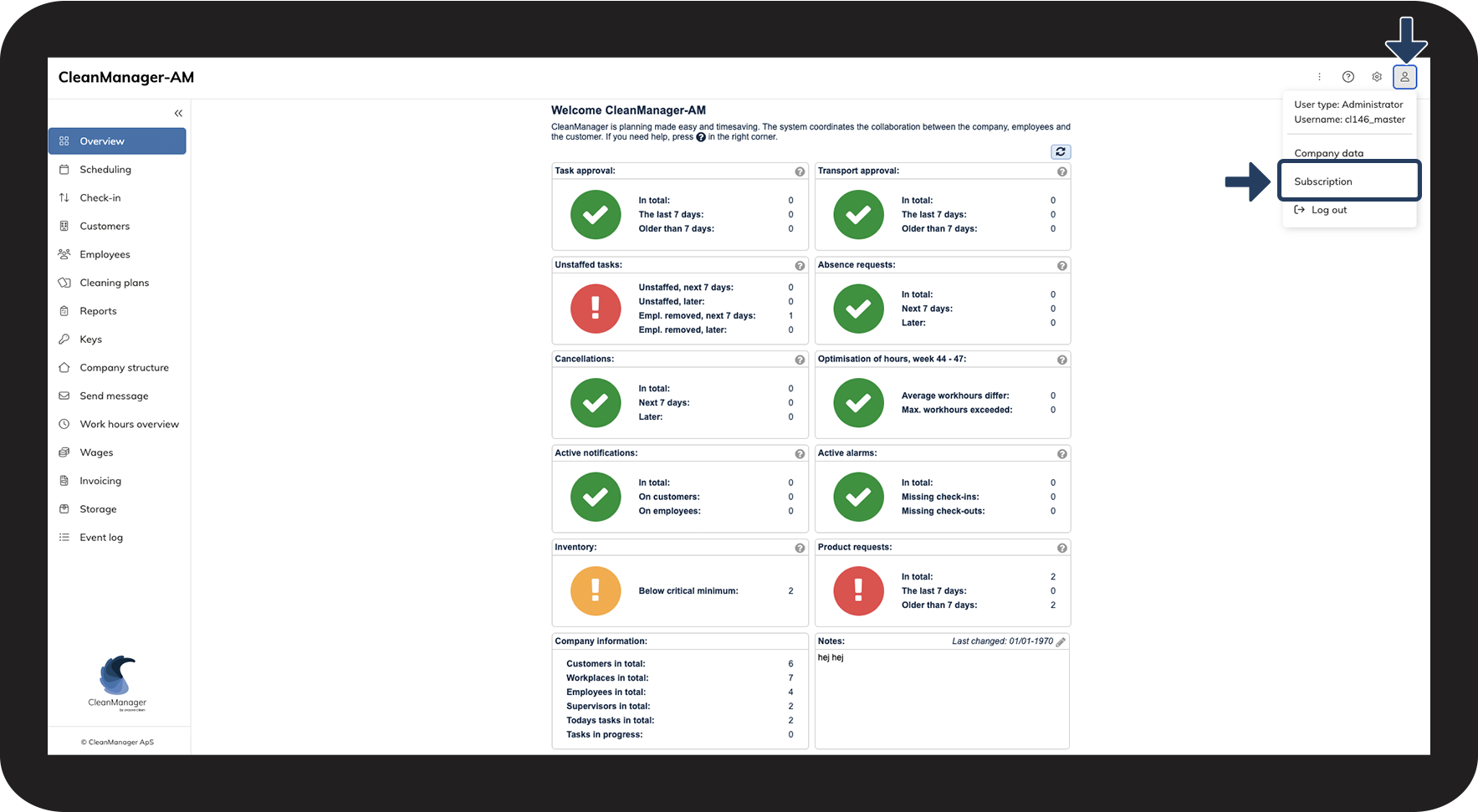
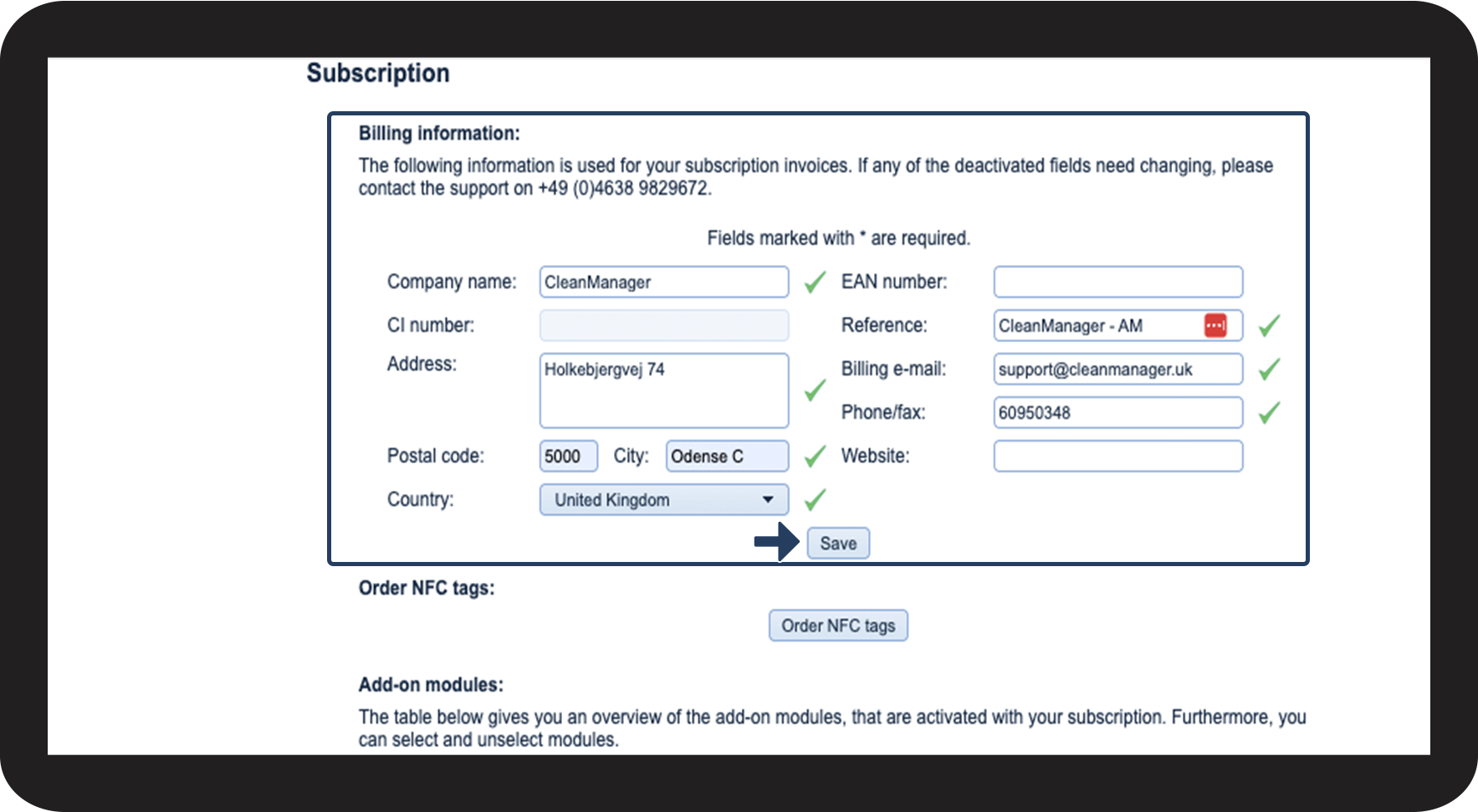
As the administrator, you have the option to edit the invoice information for your company's payments to CleanManager.
The information is solely used for paying for your subscription.
The invoice information will automatically be filled out when ordering a paying subscription for CleanManager.
If your invoice information should change, this is also where you can change them.
In this article, you will learn how to edit your invoice information:
This is how you edit your company's invoice information



NOTE:
If you would like to change the CI number of your company, you have to contact our support: support@cleanmanager.uk