
How do I access My data in the new design?
The system has received a new menu design, which means that My data has been moved to a new location.
In this article, you will learn how to access My data for the different user types:
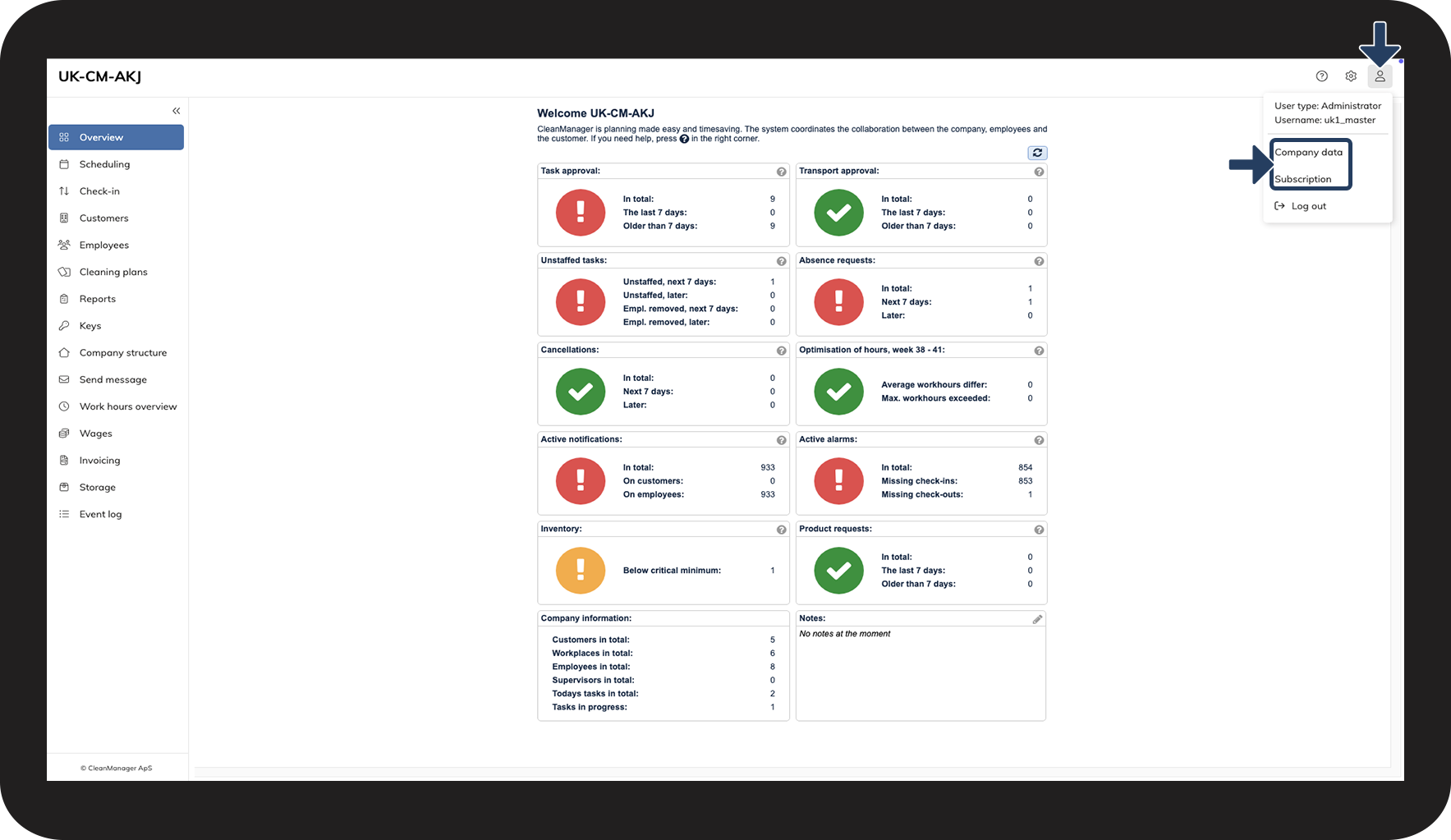
How do I access My data as an administrator?
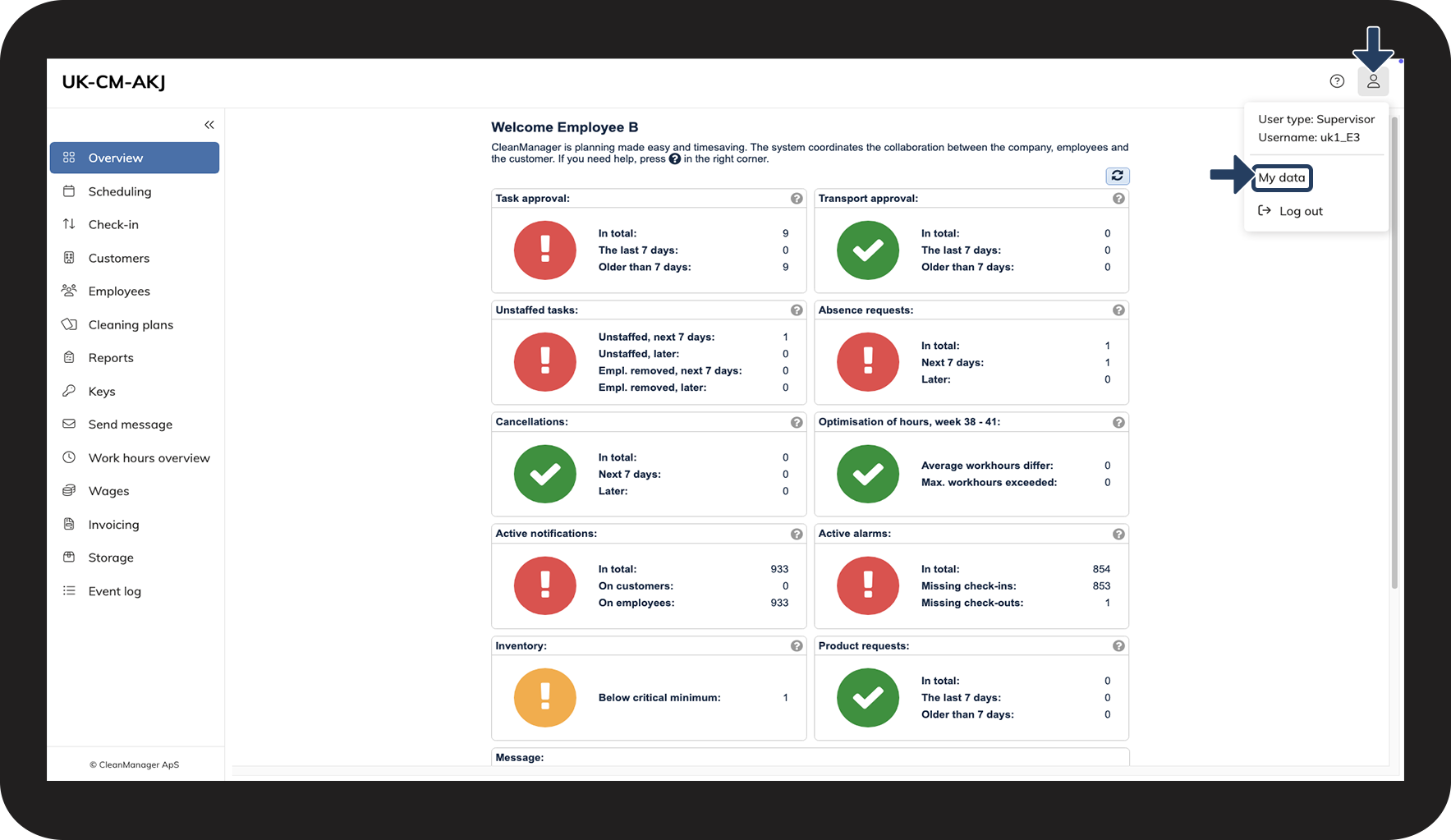
How do I access My data as a supervisor?
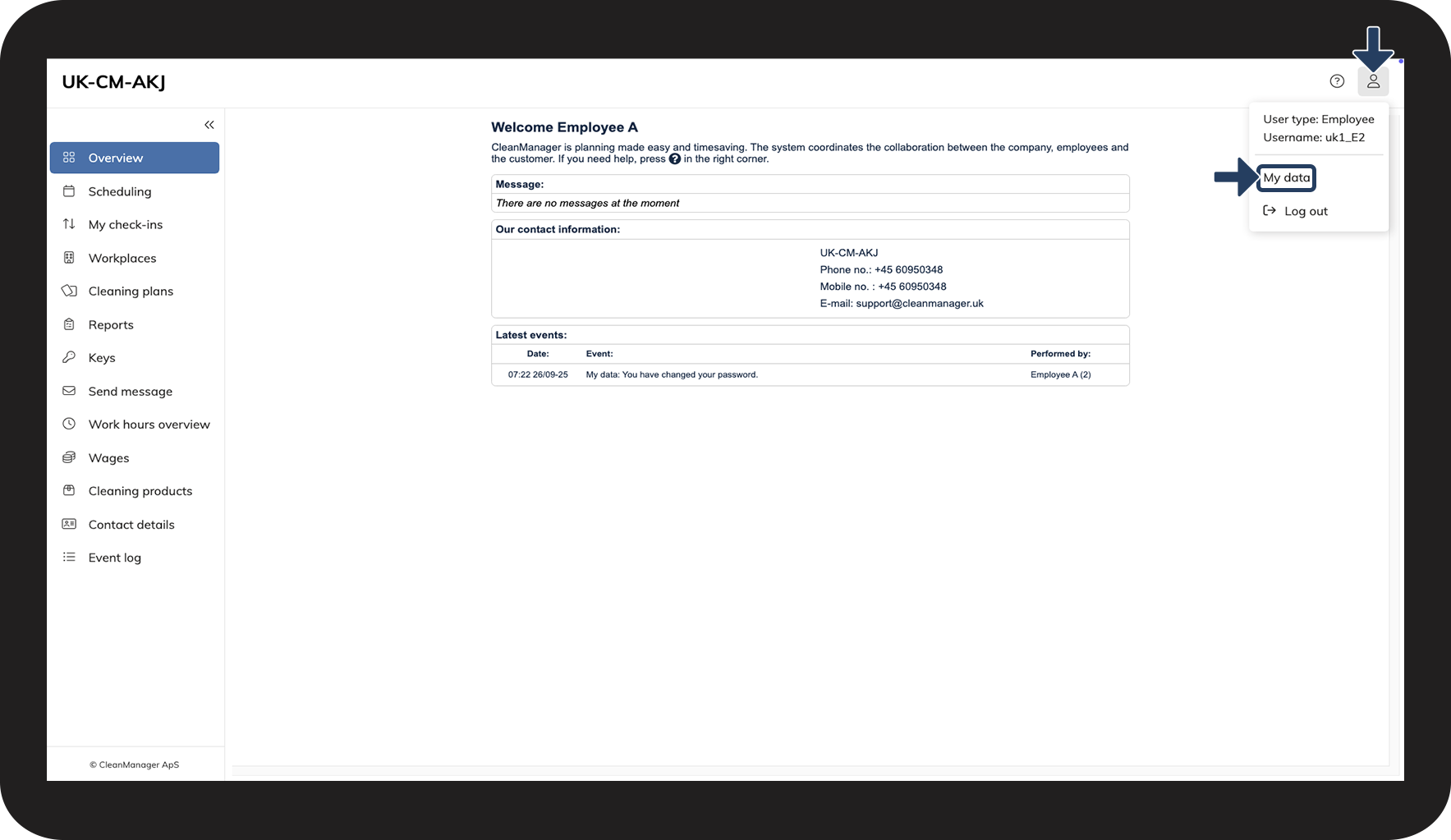
How do I access My data as an employee?
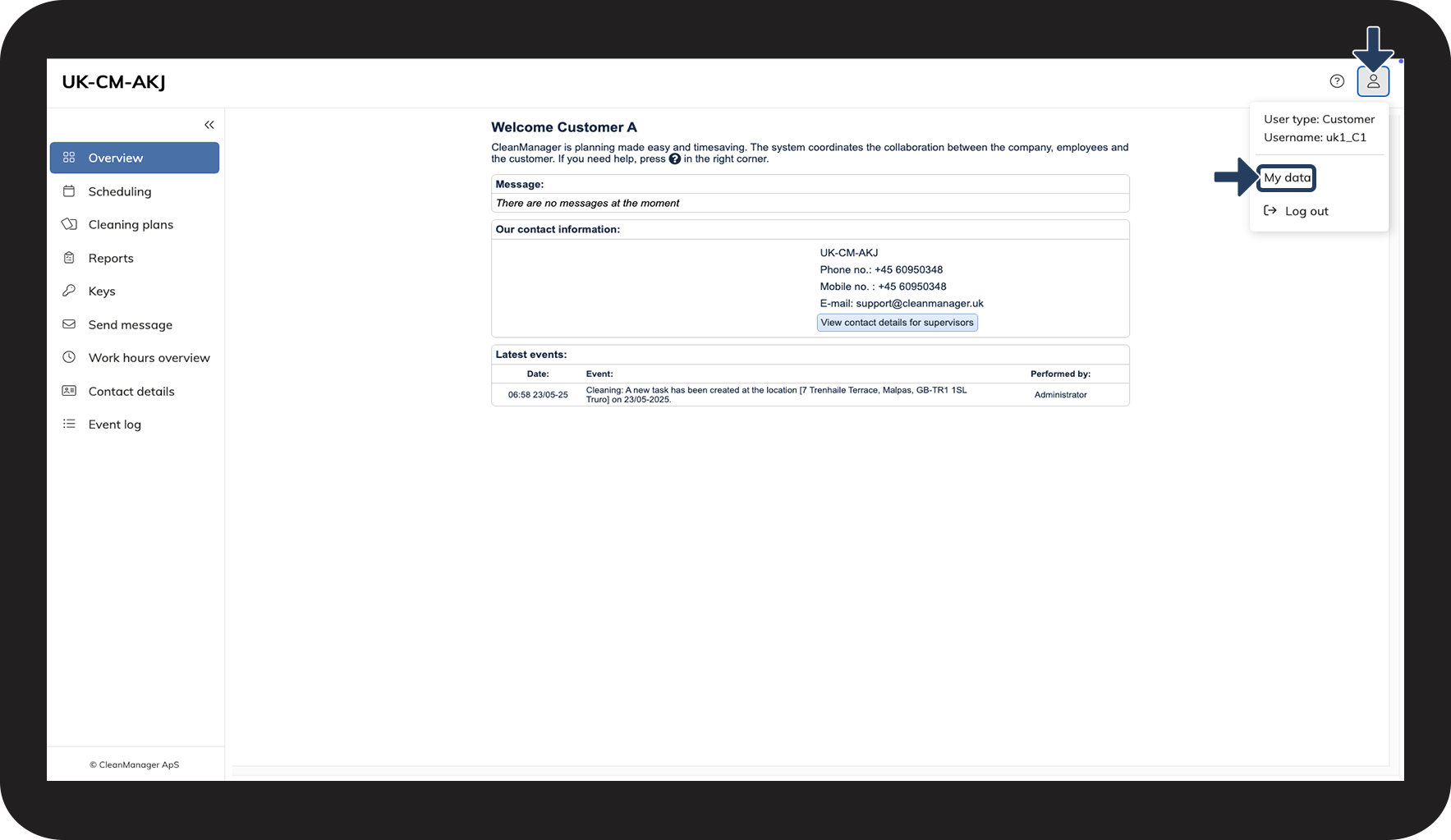
How do I access My data as a customer?
How to access My data as an administrator


How to access My data as a supervisor
How to access My data as an employee
How to access My data as a customer
Continue to the category: My data
Here you can learn more about how to navigate My data.