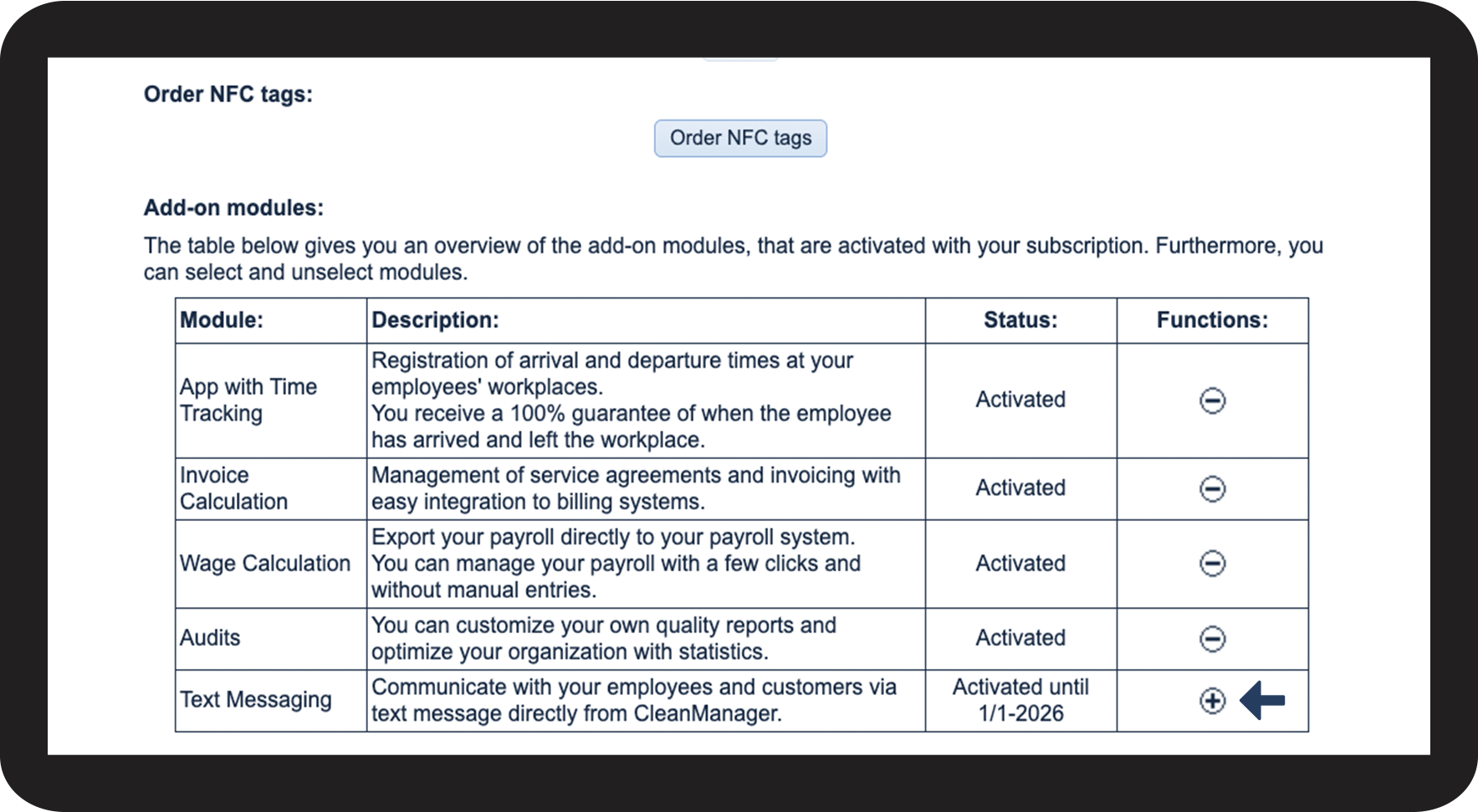
How do I adjust add-on modules that have been activated on my account?
As the administrator, you can activate and deactivate add-on modules for your CleanManager account.
NOTE:
When you activate an add-on module, you can start using it right away. The payment for the module will be monthly until the end of the current payment period is reached. Thereafter, the payment will be due every quarter just like the rest of the subscription.
When you deactivate an add-on module, the data of the module (settings, etc.) will be saved in CleanManager in case you want to reactivate it. The add-on module will be deactivated after the payment period ends.
In this article, you will learn how to adjust the add-on modules in CleanManager:
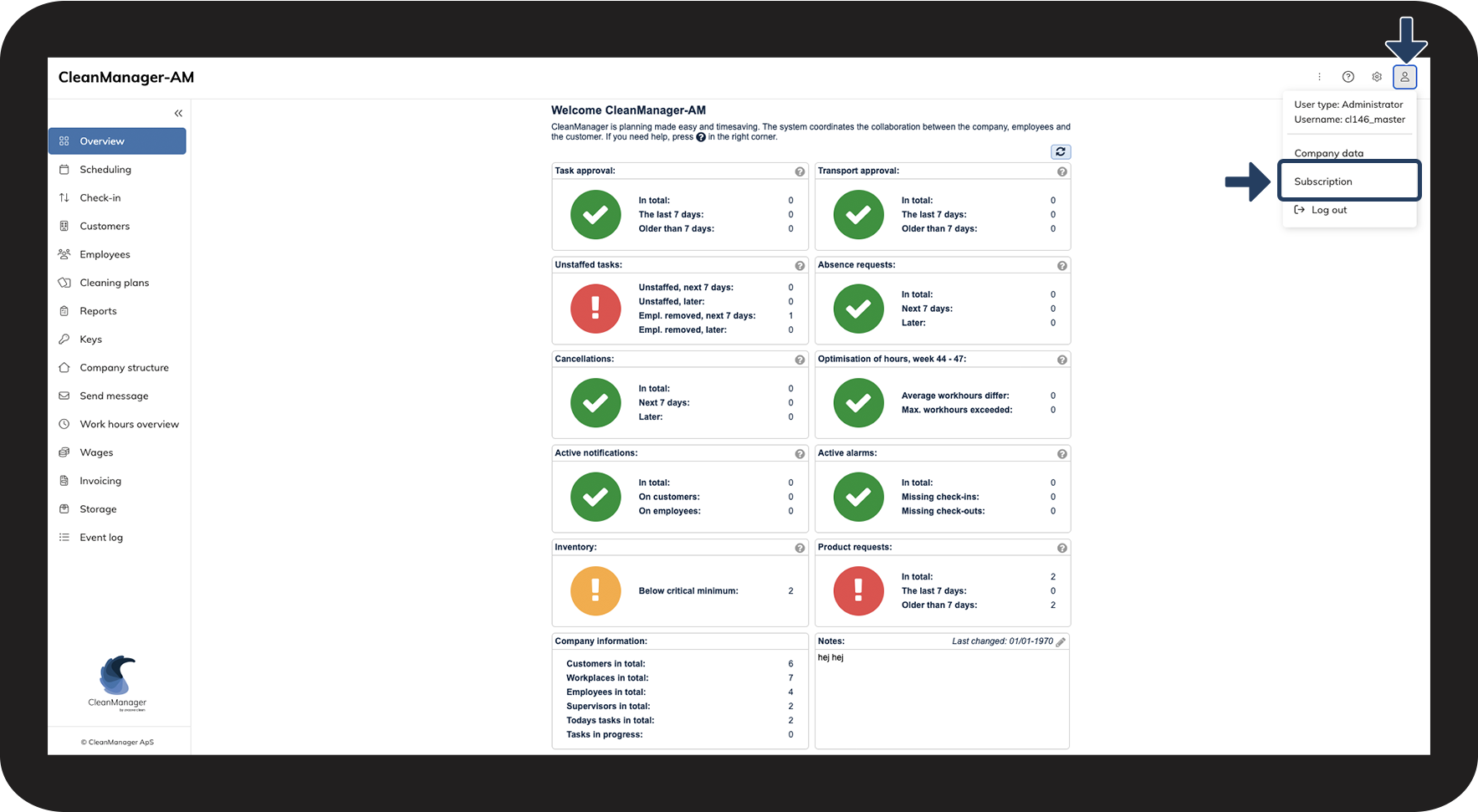
This is how you (de)activate add-on modules in CleanManager



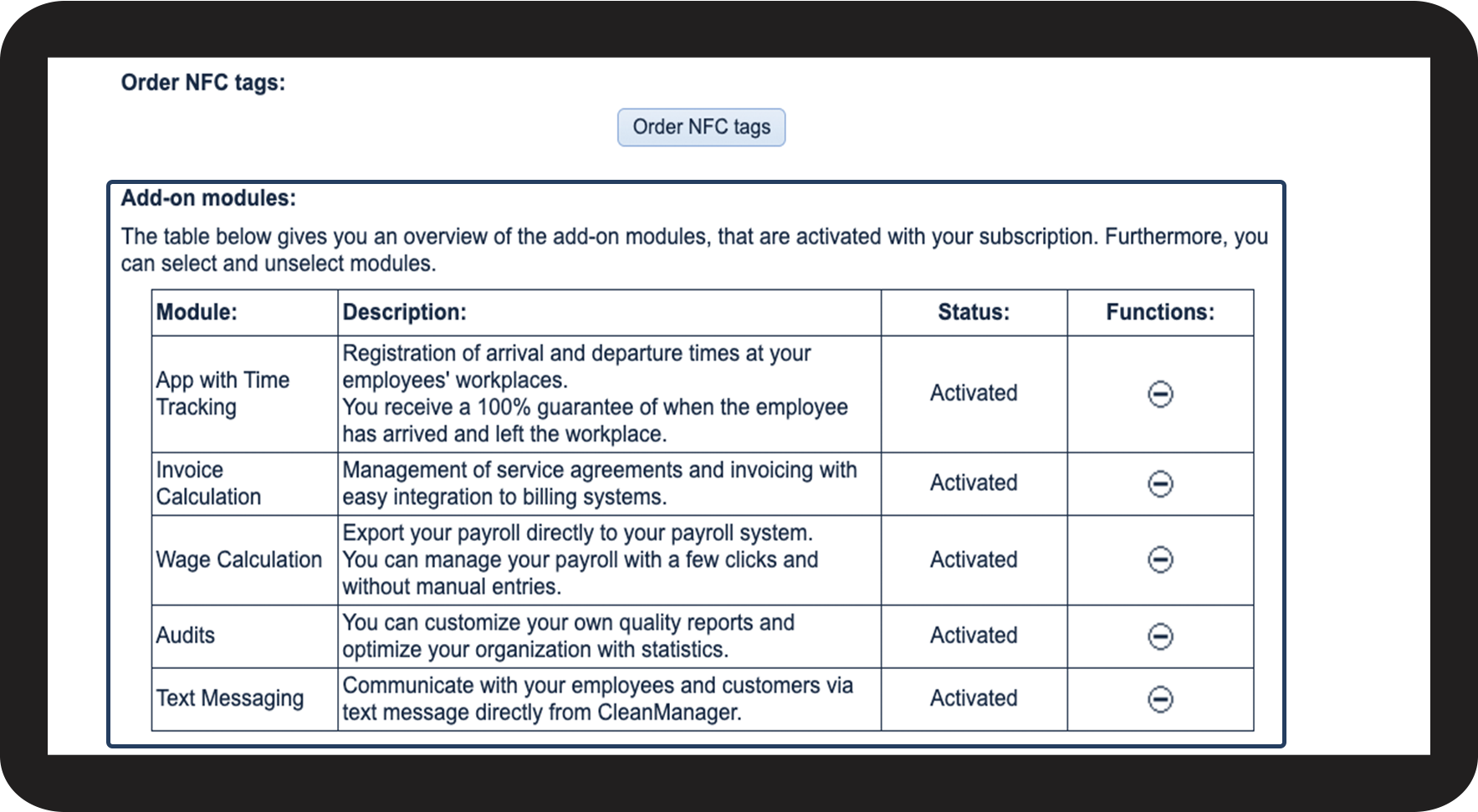

 next to the add-on module you want to deactivate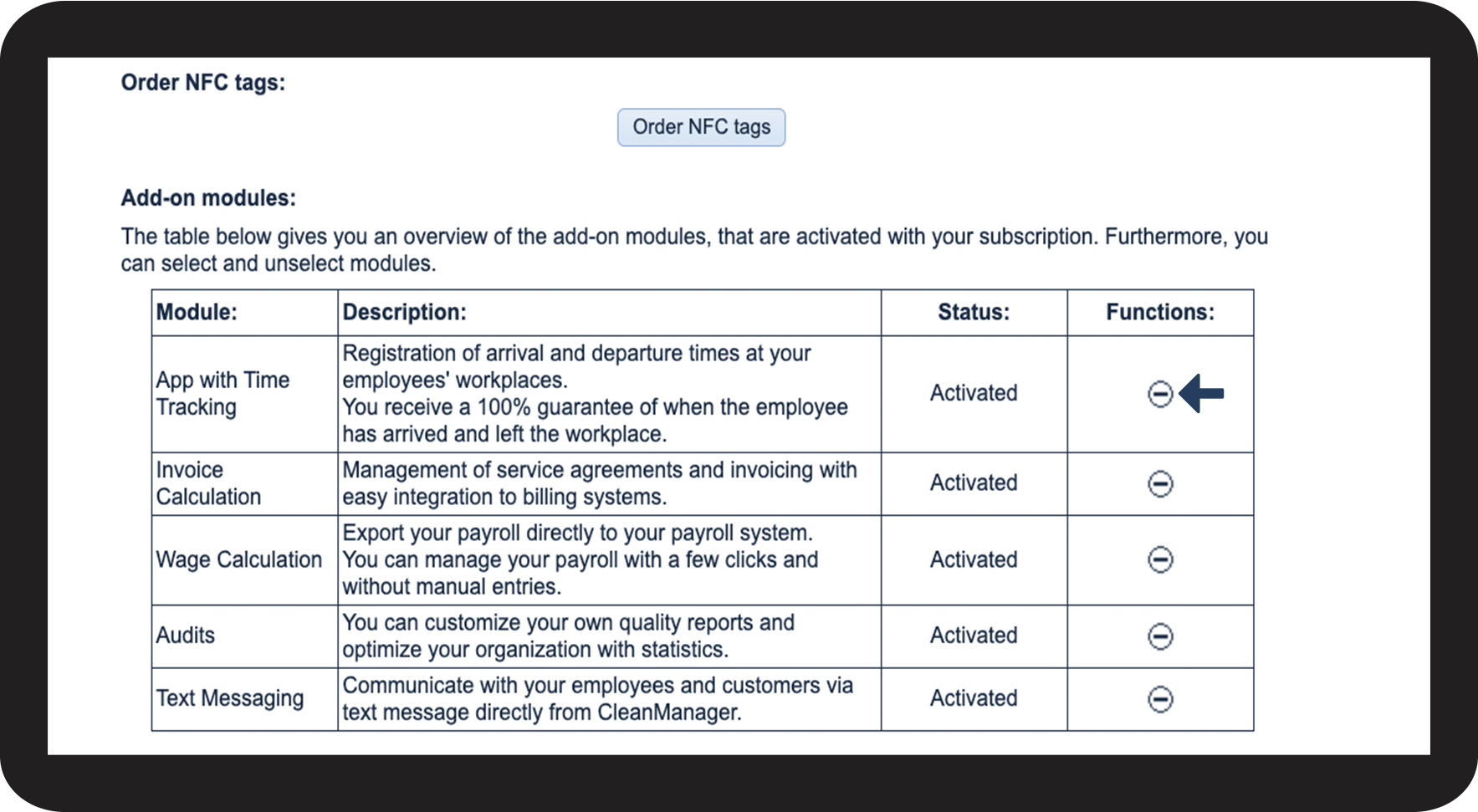

 next to the add-on module you want to activate